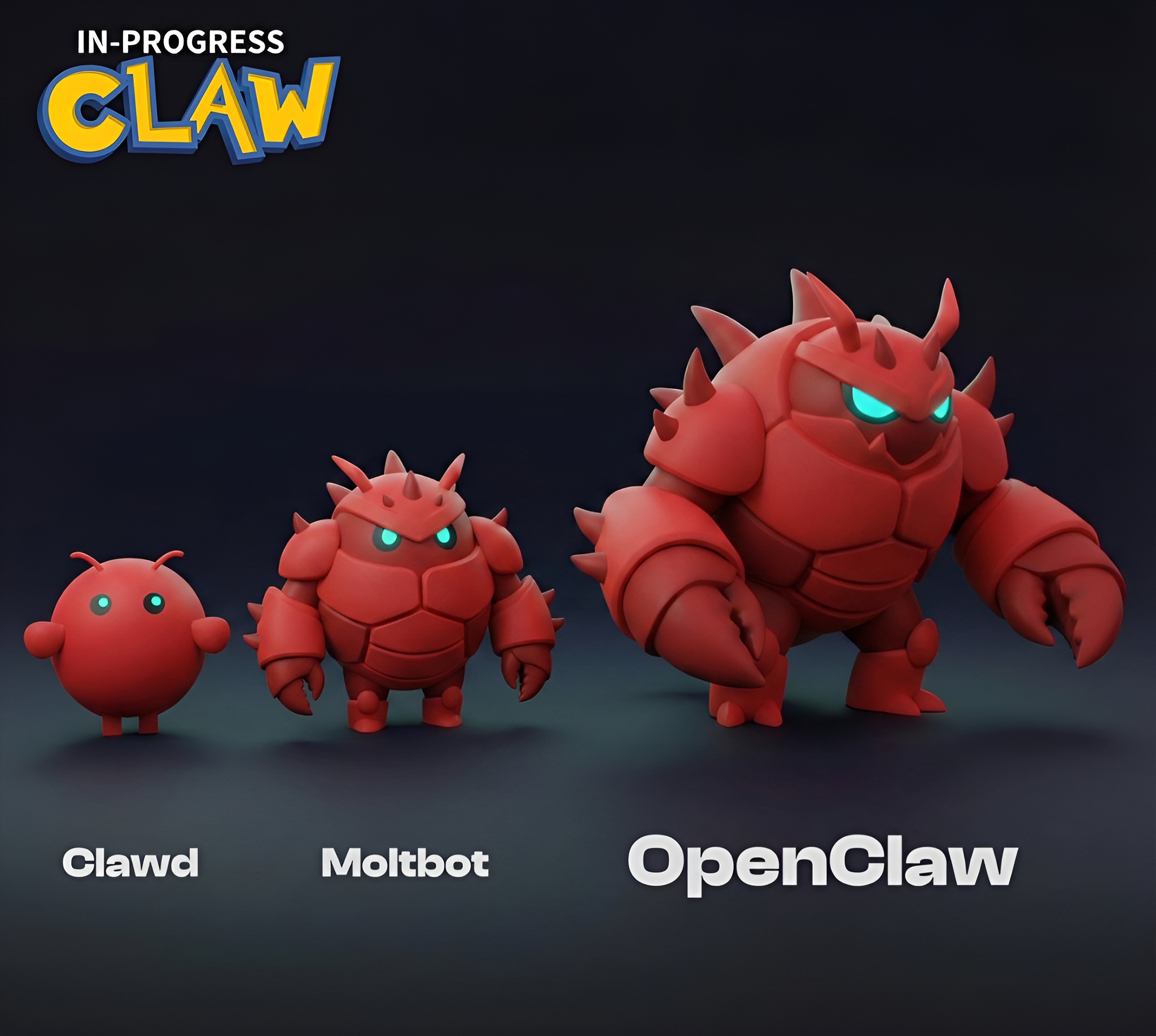
OpenClaw isn’t just another AI tool. It’s a full-fledged reimagining of how personal productivity software should work—one that demands control in exchange for convenience. Unlike cloud-based assistants that process your data remotely, OpenClaw runs entirely on your own hardware, turning your Mac mini or VPS into a private hub for automation. This isn’t just a feature; it’s a fundamental shift in how AI integrates with daily life.
The trade-off is clear: you gain full ownership of your data and workflows, but you also take on the responsibility of managing the system. For developers and power users, this is a dream come true. For everyone else, it’s a reminder that cutting-edge AI still requires some technical elbow grease.
What sets OpenClaw apart isn’t just its local execution—it’s the way it anticipates needs. Need an email triaged? It happens automatically. Calendar conflicts resolved? Done. Flight reservations handled? Check. The assistant doesn’t just react; it acts, learning from each interaction to refine future actions. This level of autonomy is rare in consumer AI tools, where most assistants still operate on a request-and-response basis.
But autonomy comes with a catch. Performance hinges entirely on your hardware. A Mac mini with an M4 Pro chip—currently discounted to $120 in some configurations—handles OpenClaw effortlessly. Older Macs or less powerful systems may struggle with complex tasks, forcing users to either upgrade or accept slower processing. For those willing to invest, however, the payoff is significant: a fully private, always-on AI assistant that adapts to your habits rather than the other way around.
Why Local Matters
Most AI tools today rely on cloud servers, which means your data—and your interactions—live on third-party infrastructure. OpenClaw flips this model. Every conversation, every automated action, every piece of data stays on your machine. No logs are sent to external servers. No company has access to your workflows. This isn’t just a privacy selling point; it’s a structural advantage for users in regulated industries, journalists, or anyone who treats digital security as a priority.
The local-first approach also unlocks flexibility. You’re not locked into a single AI provider. Need to switch from Claude to a new model next year? OpenClaw’s architecture lets you do that without migrating data or retraining the system. This model-agnostic design is a rare feature in an industry where vendor lock-in is the norm.
Hardware as the New Bottleneck
OpenClaw’s demands on hardware expose a critical reality: the future of AI productivity may require upgrading your entire setup. The Mac mini with an M4 Pro chip—often priced around $600 but currently available for $120 off—has become the de facto recommendation for running OpenClaw smoothly. Why the price jump? The chip’s efficiency handles multiple AI tasks concurrently, from natural language processing to automation workflows, without overheating or slowing down.
For those without Apple hardware, virtual private servers (VPS) are an alternative, though they introduce their own variables in cost and performance. The key takeaway: OpenClaw isn’t just software; it’s a hardware catalyst. If you’re running it on a mid-2018 MacBook Pro, expect lag. If you’re on a fresh M4 Mac mini, expect speed.
Who Stands to Gain the Most
OpenClaw isn’t for casual users. It’s for those who treat technology as a force multiplier. Here’s who benefits—and who might walk away
- Developers and ‘Vibe Coders’: The open-source nature of OpenClaw makes it a playground for customization. Users can tweak its behavior, integrate it with other tools, or even contribute to its evolution. For communities that thrive on experimentation, this is a game-changer.
- Privacy Advocates and Security-Conscious Professionals: Lawyers, journalists, and researchers who handle sensitive data will appreciate the absence of cloud dependencies. No third-party access means no risk of data breaches or regulatory scrutiny.
- Power Users with Repetitive Tasks: Freelancers juggling client emails, researchers organizing datasets, or executives managing cross-timezone meetings will find OpenClaw’s automation capabilities transformative. Imagine an assistant that not only schedules your calls but also drafts follow-ups and flags action items—all without lifting a finger.
- Apple Mac Mini Enthusiasts: The surge in OpenClaw’s popularity has indirectly boosted sales of the M4 Pro Mac mini, particularly during promotional discounts. If you’ve been eyeing an upgrade, now might be the time.
That said, OpenClaw isn’t a drop-in replacement for existing tools. Setup requires comfort with command-line interfaces and self-hosting. Non-technical users may find the learning curve steep. And because the project is still evolving, some features—like advanced multi-agent workflows—remain in beta, meaning stability isn’t guaranteed for every use case.
The Bottom Line: Is It Worth the Leap?
The answer depends on how much you value control over convenience. If you’re willing to invest in hardware and embrace a slightly rougher edge, OpenClaw offers a glimpse of the future: an AI assistant that works for you, not against you. For others, it’s a fascinating experiment—one that highlights both the potential and the limitations of local AI.
For now, the project remains open-source, with no official pricing beyond the hardware costs. But as demand grows, expect to see more optimized configurations and potentially even commercial distributions tailored to different user needs. Whether OpenClaw becomes a mainstream tool or stays a niche curiosity will hinge on one question: Are users ready to trade cloud convenience for local sovereignty?
The choice isn’t just about software anymore. It’s about redefining what personal productivity looks like in an era where data privacy is currency.