Storage has become a high-stakes gamble. What was once a routine upgrade path—slotting in a new drive when capacity ran thin—has turned into a scavenger hunt. AI demand has siphoned off manufacturing capacity, leaving shelves empty and prices inflated. A 10TB WD Blue drive now lists for $239, while bulk buyers pay even more. But there’s a loophole: used hard drives, often overlooked by mainstream buyers, remain stubbornly affordable. The catch? Most can’t be plugged in directly. That’s where hard-drive docking stations step in as the unsung heroes of the storage apocalypse.
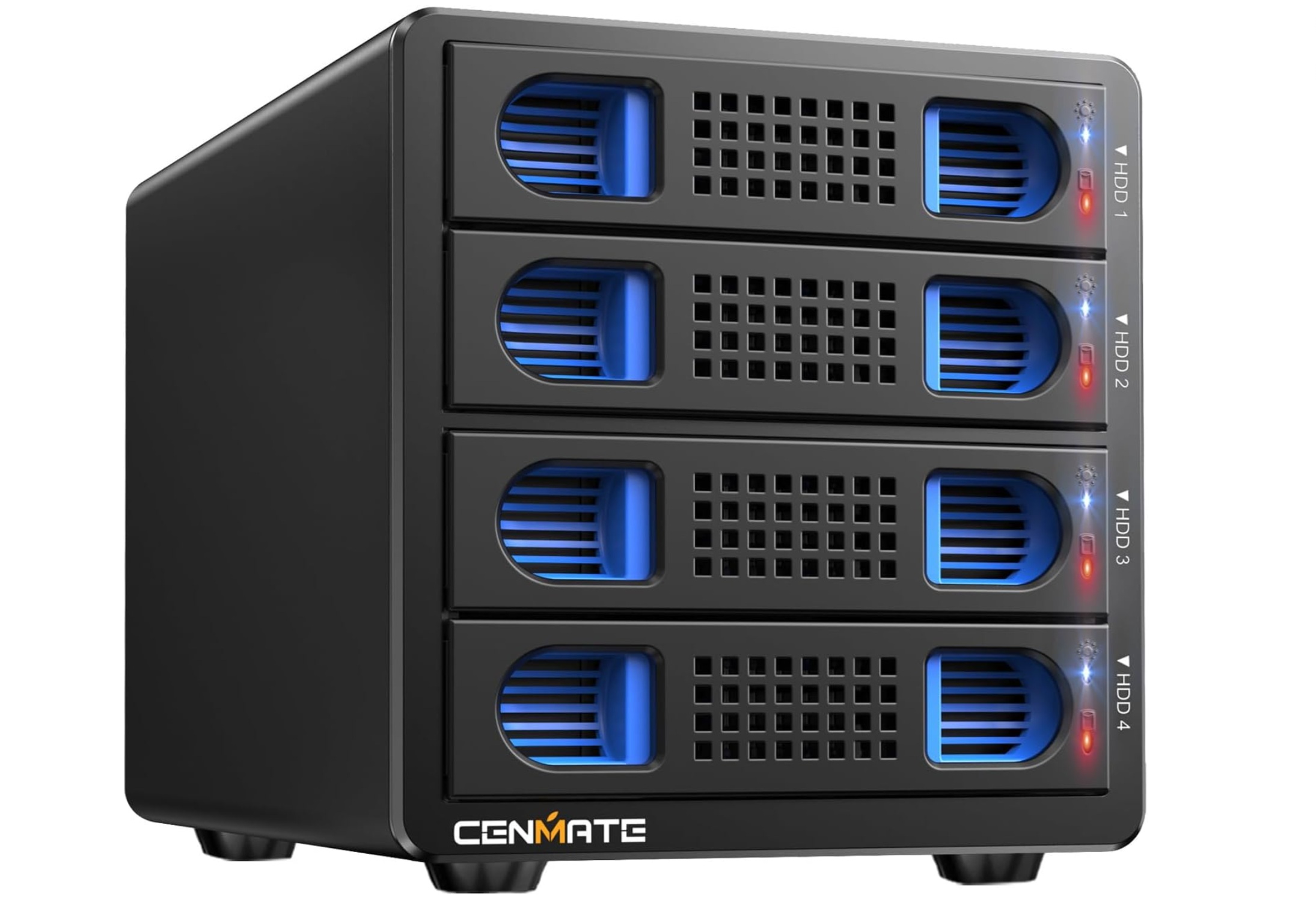
The concept is simple. Instead of paying premium prices for new drives encased in proprietary enclosures, you buy bare drives—from government auctions, Facebook Marketplace, or overstock sales—then connect them to a dock. The result? A plug-and-play expansion bay that turns old hardware into high-capacity external storage. For $80, you might land a 13TB drive; for $129, a four-bay dock like Cenmate’s lets you chain together multiple units, each hot-swappable and compatible with both 2.5-inch (laptop) and 3.5-inch (desktop) models. No tools required, no RAID complexity, just raw capacity at a fraction of retail.
This isn’t just about saving money. It’s about future-proofing. Gaming platforms like Steam and Xbox already support external storage, letting you offload games to slower drives and migrate them to faster ones later. For non-gamers, the flexibility is equally valuable: individual drives can be treated as standalone units, or pooled together using Windows Storage Spaces or third-party tools like UnRAID. The tradeoff? Performance lags behind SSDs, and a single drive failure in a pooled setup risks data loss. But for bulk storage, the simplicity wins.
Not all docks are created equal. Cenmate’s 4-bay model stands out for its 10Gbps USB-C interface—critical for older drives to approach SSD-like speeds—along with a built-in cooling fan (though it’s noticeably loud). Sabrent offers a more budget-friendly 4-bay option at $99.95, but with USB 3.0 speeds. For those who want even more capacity, some docks include SSD mounts, though they’re rare. The key is matching the dock to your needs: tooless installation, hot-swap convenience, and interface speed matter most.
Used drives aren’t risk-free. Sellers may not disclose manufacturing dates or health metrics, and even seemingly healthy drives can fail prematurely. Running tools like CrystalDiskMark can help, but it’s not foolproof. Still, the potential savings—$80 for 13TB versus $239 for 10TB new—make it a calculated risk. As long as you’re prepared to replace drives over time, the strategy holds. In a world where storage shortages are becoming the norm, a hard-drive dock isn’t just a gadget. It’s insurance.