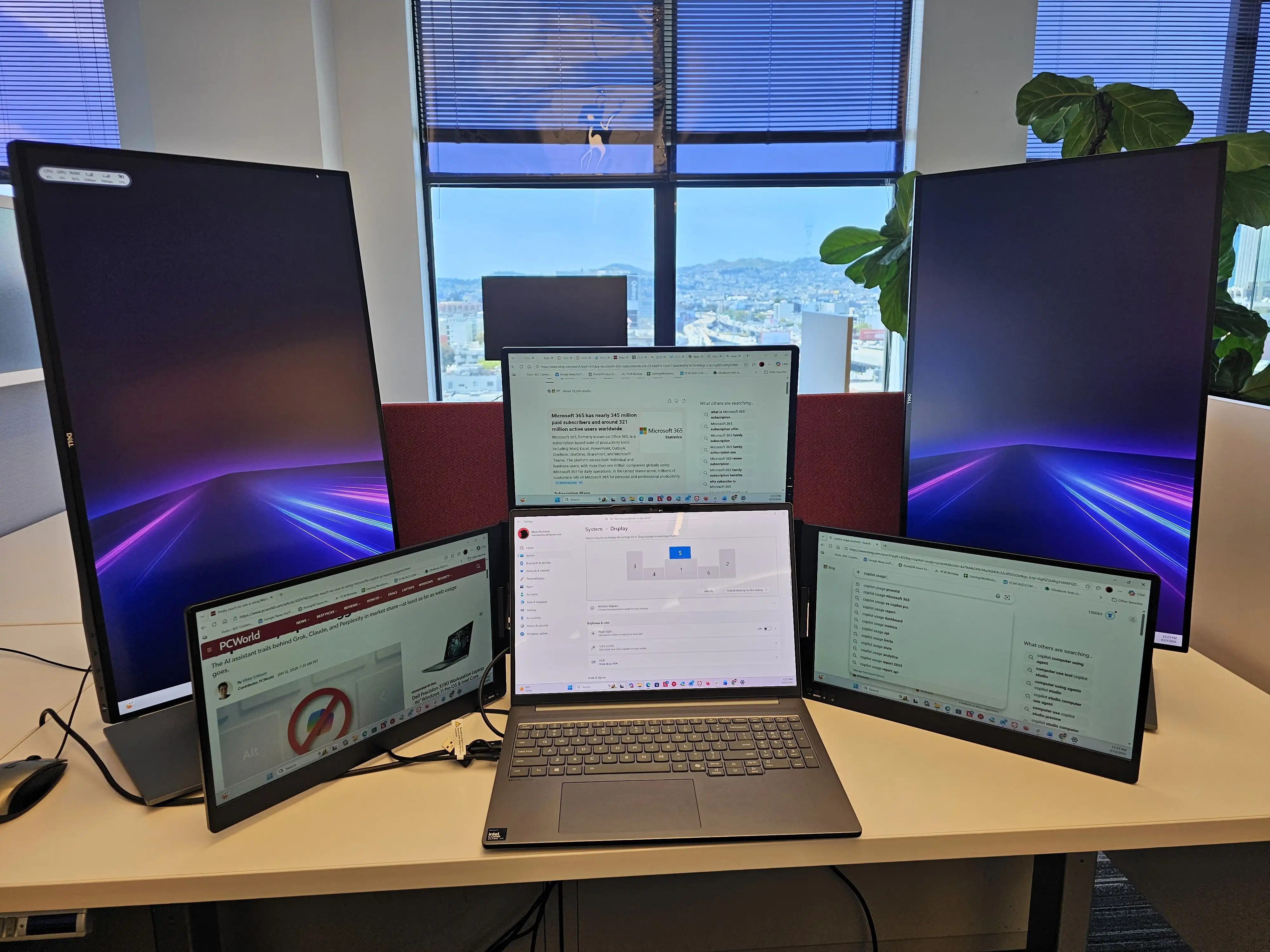
A five-screen laptop setup was designed to maximize productivity by spreading work across multiple displays. In theory, it offered an ideal workflow: coding on one screen, spreadsheets on another, and communication tools on a third. But the practice did not match the promise.
The constant switching between screens introduced friction rather than fluidity. The mental effort of managing five simultaneous workspaces became overwhelming, reducing focus instead of enhancing it. Physical clutter only added to the problem, turning what should have been a seamless experience into one of frustration and inefficiency. This outcome reflects a broader trend among small businesses adopting multi-monitor setups without fully considering their practical limitations.
Heat, Power, and Cognitive Strain
The appeal of multi-screen productivity is undeniable, but its effectiveness diminishes as the number of displays increases. While two or three screens can improve multitasking, studies show that beyond this point, the benefits level off—and the drawbacks grow.
Heat generation becomes a significant issue, requiring advanced cooling solutions that increase cost and complexity without delivering proportional performance gains. Power consumption also rises sharply with each additional screen, raising operational expenses for small businesses without a clear return on investment in productivity. The cognitive strain of juggling multiple screens cannot be overlooked; the mental fatigue from constant context-switching often outweighs any time saved by having more screen real estate.
- Heat output increases with each added screen, necessitating high-end cooling that may not justify the cost for typical workloads.
- Power consumption rises disproportionately, increasing electricity costs without a proportional boost in efficiency.
- Cognitive load spikes, leading to reduced focus and higher mental fatigue over time.
The five-screen experiment revealed that not all tasks benefit from multiple displays. Single-screen workflows—such as deep coding or writing—can actually suffer more from distraction than they gain from extra screen space. The solution lies in matching the number of screens to the actual demands of the work, rather than assuming more is always better.
A More Sustainable Approach
For small businesses, a dual-monitor setup strikes an optimal balance. It provides enough space for multitasking without the overhead of managing five displays. This approach is also more sustainable in terms of heat and power consumption, reducing both operational costs and environmental impact.
The five-screen experiment aimed to push productivity to its theoretical limit, but it demonstrated that sometimes, less is indeed more. The market for multi-screen setups continues to grow, yet buyers must carefully weigh the practical benefits against hidden costs—heat, power, and cognitive strain—before investing in what seems like peak efficiency.
The takeaway is clear: for small businesses, a dual-monitor configuration remains the most effective way to enhance productivity without overcomplicating the workspace. The future may lie in smarter software solutions that optimize single-screen workflows, potentially reducing the need for multiple displays altogether.