Microsoft is quietly pushing the boundaries of Windows 11 customization with an experimental feature that could change how power users interact with their systems. Dubbed the Command Palette Dock, this optional interface serves as a secondary taskbar, designed to streamline access to PowerToys extensions and frequently used tools. Unlike the traditional taskbar, it can be positioned along any screen edge—top, bottom, left, or right—and divided into three distinct zones for better organization.
The feature is part of an ongoing effort to enhance the Command Palette—a Windows 11 utility that lets users launch apps and commands via a searchable menu. The new dock acts as a visual shortcut hub, allowing users to pin their most-used PowerToys utilities—such as PowerToys Run, Always on Top, or FancyZones—for instant one-click access. Concept images released by Microsoft show a sleek, floating bar that blends functionality with flexibility, catering to users who rely on keyboard-driven workflows.
While the dock isn’t yet part of the official PowerToys release, early versions are accessible through the project’s GitHub repository. Setting up a test build requires developer familiarity, as it involves compiling from source via Visual Studio. Microsoft is actively seeking feedback from tech-savvy users to refine the feature before broader integration.
The move reflects a broader trend of Microsoft tailoring Windows 11 for advanced users. Tools like PowerToys—originally a side project—have become staples for developers, sysadmins, and efficiency-driven professionals. The Command Palette Dock could further solidify that niche, offering a middle ground between the traditional taskbar and more specialized workflow tools.
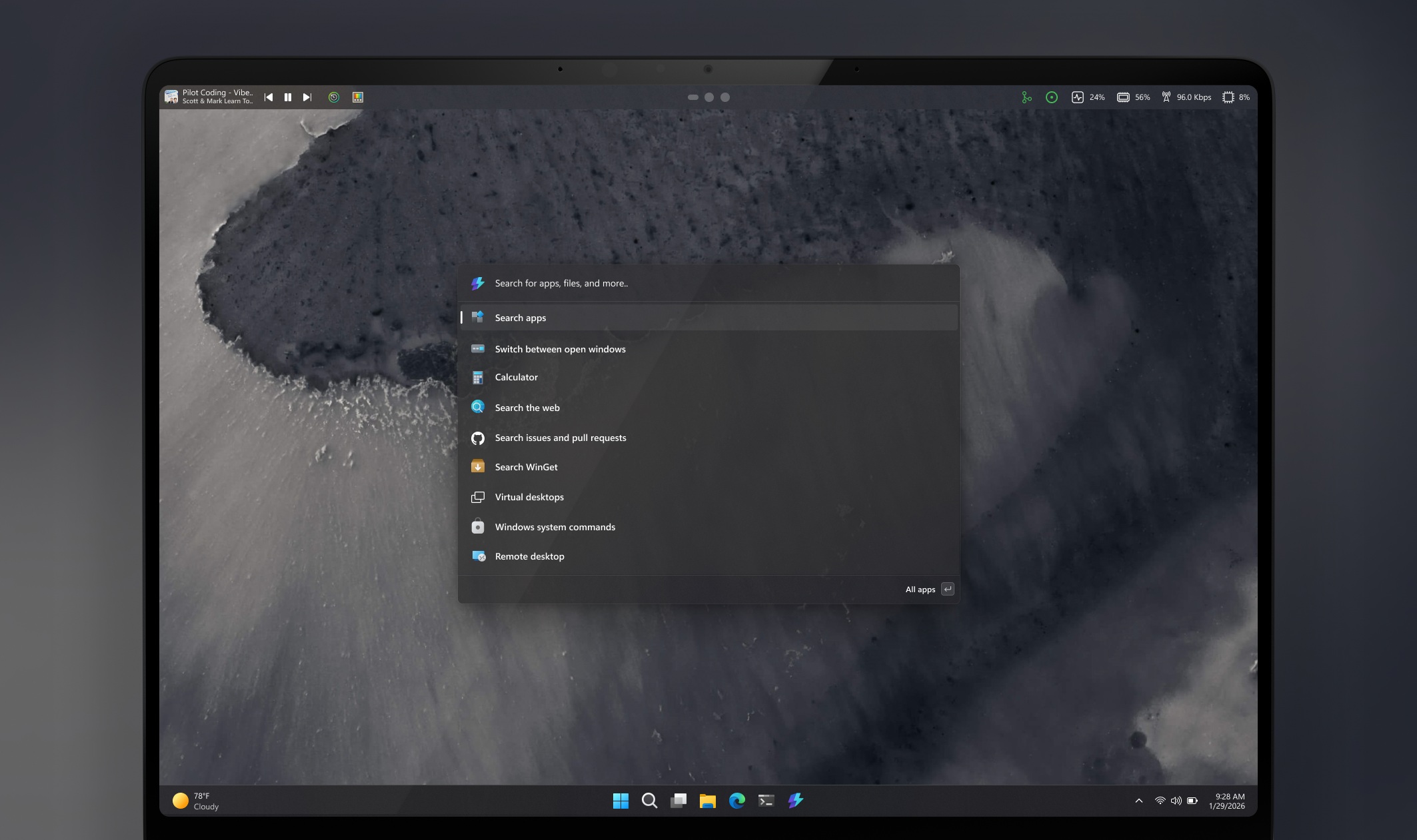
Who stands to benefit? The dock is primarily aimed at users who already leverage PowerToys or rely on keyboard shortcuts for productivity. For example, a developer might pin PowerToys Run to the dock for instant app launching, while a designer could use Color Picker and Text Extractor in separate zones. However, the feature’s experimental nature means it may not suit casual users or those unfamiliar with customizing Windows.
Key specs and capabilities:Positioning: Placement along any screen edge (top, bottom, left, right).Zones: Divided into three customizable sections for organizing tools.Extensions: Supports PowerToys utilities and third-party extensions.Appearance: Fully customizable—users can adjust transparency, size, and docking behavior.Access: Early builds available via PowerToys GitHub (requires Visual Studio for compilation).Target audience: Power users, developers, and sysadmins familiar with Windows customization.
The dock’s introduction aligns with Microsoft’s push to modernize Windows for both mainstream and specialized workflows. While it won’t replace the traditional taskbar, it could become a valuable addition for users who demand deeper control over their desktop environment. For now, those interested in testing the feature will need to navigate the GitHub route—but if the feedback is positive, it may eventually make its way into a broader release.