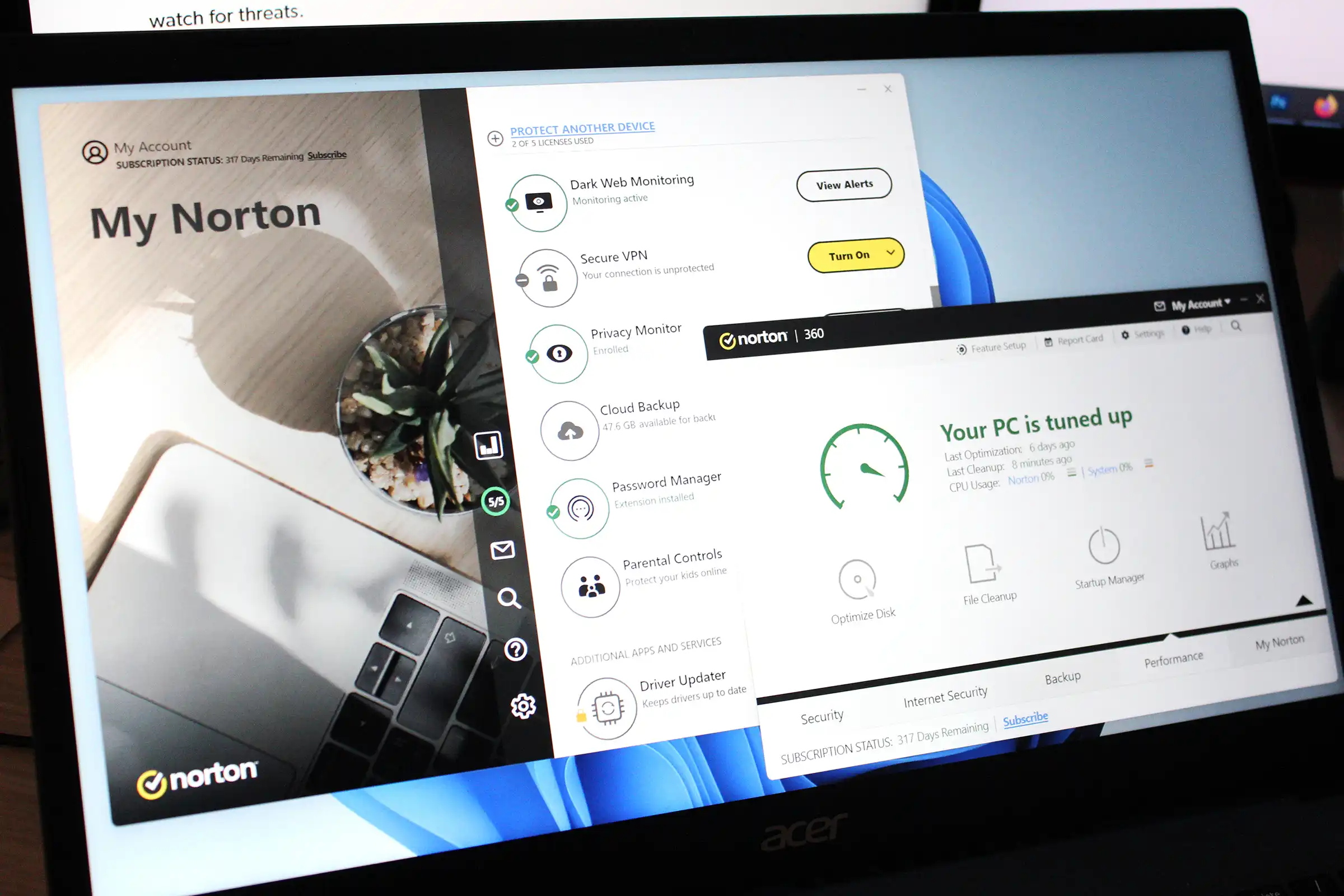
Reviews Norton 360 Deluxe review: Excellent value and strong protection Norton 360 Deluxe is a great product overall, but mid-range and budget PCs can see a dip in performance. , PDT monitoring reports, cloud backup, and parental controls. You can also jump straight to the secure browser and software updater, as well as settings, notifications, and help files. In a nice touch, your subscription status (that is, days remaining) is listed in the upper-left corner. For the most part, this view is simple and clear, but it does have some quirks. One is the lack of a back button while navigating through submenus (like in settings). Another is the limited settings. Norton 360 Deluxe’s interface has two different views, and you have to bounce between both to get access to all features. To access deeper settings, you’ll need to switch to the Classic view. It lets you customize the behavior of antivirus scans, the firewall, backups, and protections for email, apps, and your webcam. You can also tweak administrative settings for the Norton app, like if remote management or silent mode is enabled. You can hop over to Classic view by choosing Device Security > Open in the My Norton view. This interface has a more dated vibe, with four tiles that let you access features (Security, Internet Security, Backup, and Performance). Tap on any of them, and the full options reveal themselves in the middle of the screen. A fifth tile is dedicated to switching back to the My Norton view. Several features can only be accessed through the Classic view, like webcam protection settings and the password generator. The Password Generator tool is only available through the Classic view. With this dual interface setup, your best bet to not get too lost is to click around and get familiar with each layout. One tip for data nerds: You can look at reports about your usage and scan outcomes over time. As for notifications—Norton does err on the side of more pop-up notifications about status changes and activity, but you can turn them off pretty easily. That’s unfortunately not the case for the app’s promotion of additional paid services. Virus, malware, and threat protection Real-time protection Norton 360 Deluxe protects your PC from real-time threats in several different ways. It scans new or altered files that you’ve added, opened, or downloaded; controls ac...