Imagine an AI assistant that doesn’t just fill in forms but actively researches flights, negotiates discounts, and even drafts expense reports—all without lifting a finger. Google’s latest Chrome update introduces Auto Browse, an experimental AI tool designed to automate multi-step online tasks, from the mundane to the downright bizarre.
At its core, Auto Browse is an evolution of autofill, but with far greater ambition. While traditional autofill stops at plugging in your credit card details, this feature claims to handle entire workflows. Need to find the cheapest dates for a vacation? It’ll compare hotel and flight prices across platforms. Stuck on a tedious online form? It’ll fill in the blanks. Even planning a Y2K-themed party—yes, really—could be simplified, as the AI identifies items from an image, searches for similar products, and adds them to your cart, complete with discount codes.
The potential is undeniably compelling. Early testers reportedly used the tool for everything from scheduling appointments and collecting tax documents to managing subscriptions and renewing driving licenses. For professionals drowning in administrative tasks, the promise of saving hours of work is hard to ignore. But before rushing to enable it, there are critical questions: How accurate is the AI when interpreting tasks? What happens when it misreads a context—like assuming a red sweater in a photo means everyone should dress as Santa? And perhaps most importantly, how much control do users retain over their data?
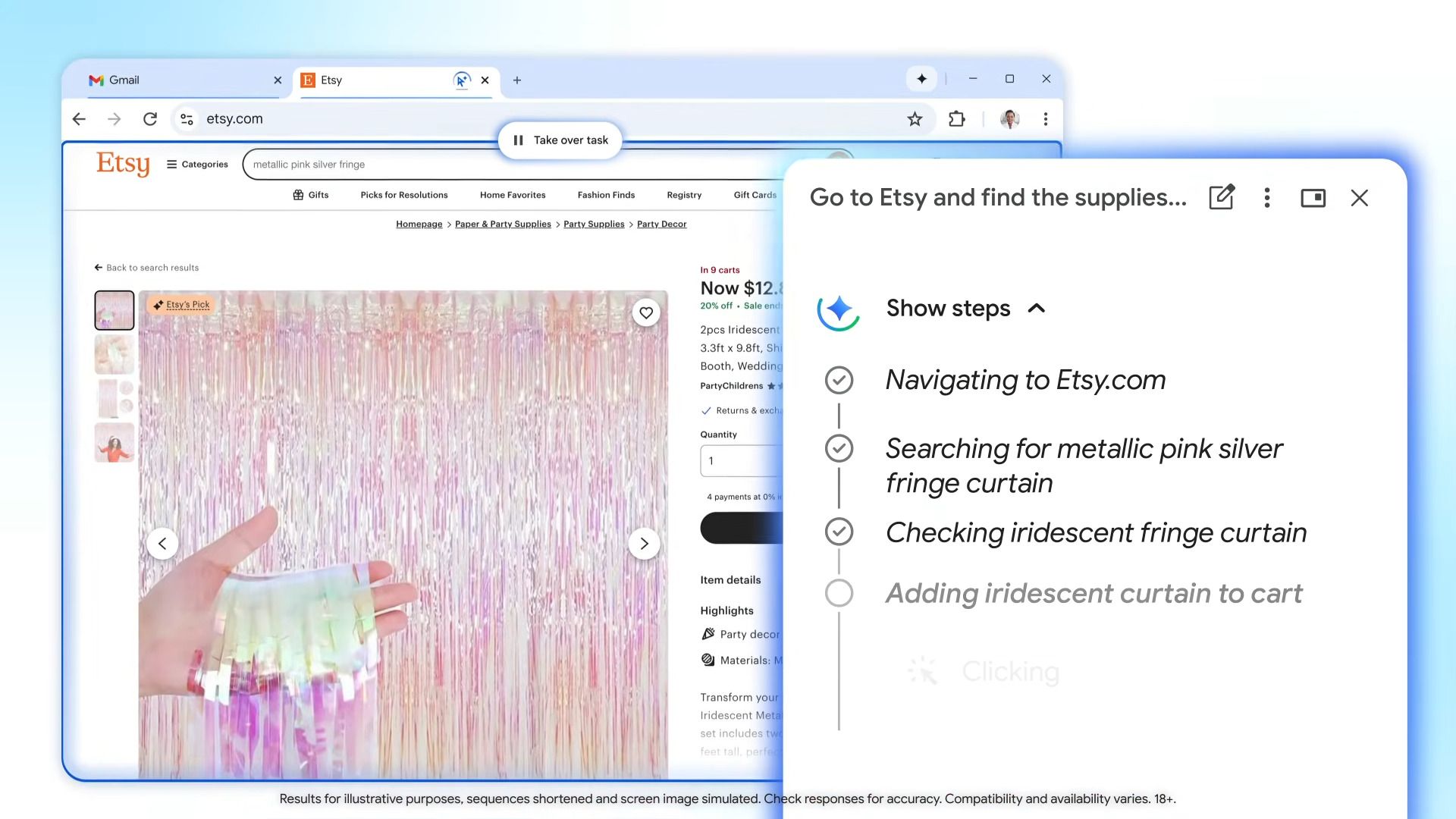
Google has addressed some concerns by designing the feature to pause at key decision points—such as purchases or social media posts—requiring manual confirmation. Yet the broader implications of an AI making autonomous browsing decisions remain unsettling. Will it accidentally expose personal information? Could it misinterpret instructions in ways that lead to costly errors? And what happens if the AI’s suggestions conflict with user intent?
Beyond Auto Browse, Chrome’s latest update also introduces a refined side-panel interface for Gemini 3, Google’s multimodal AI, which aims to be less intrusive than its current pop-up approach. Additionally, the update integrates Nano Banana, a tool for real-time image transformations—though its practical applications outside of niche creative work remain unclear.
For now, Auto Browse is rolling out gradually, with no confirmed timeline for widespread availability. Whether it becomes a productivity game-changer or a cautionary tale about over-reliance on AI remains to be seen. One thing is certain: the era of browsers acting as proactive assistants is here, and it’s forcing users to rethink how much trust to place in their digital helpers.