For users accustomed to single or dual-monitor setups, navigating across multiple screens can often feel like an exercise in frustration. Yet, for those who rely on expansive multi-monitor configurations—whether for productivity or creative work—the challenge of managing cursor movement becomes a daily nuisance. Microsoft's latest PowerToys update aims to address this with a feature that promises to transform the way users traverse their digital workspace.
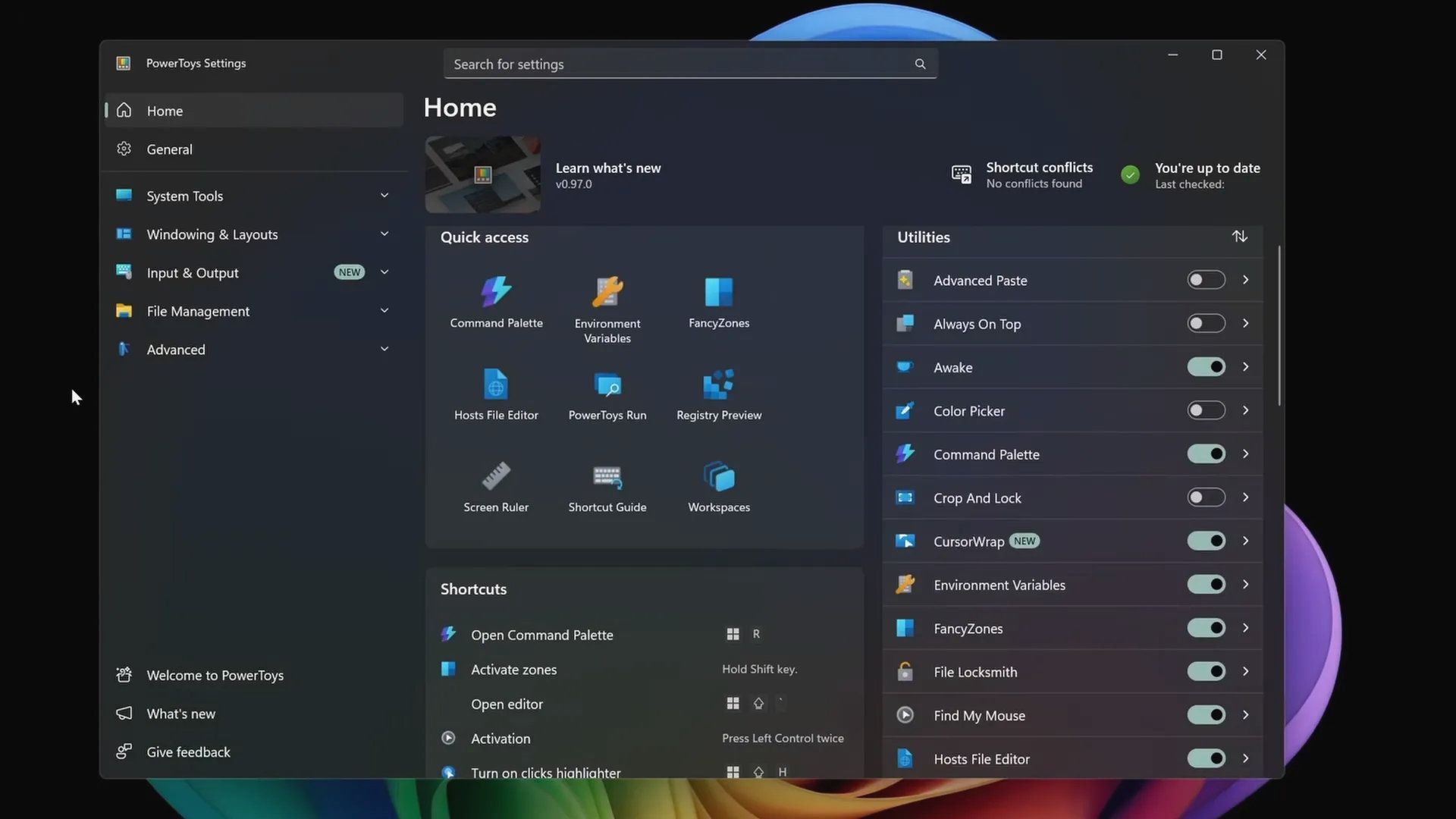
Introduced in PowerToys 0.97, Cursor Wrap is designed to eliminate the disjointed experience of moving a mouse cursor between monitors. Traditional setups, even those with two screens, handle cursor transitions smoothly by default. However, as the number of displays increases—imagine a grid of six monitors arranged in two rows—the system's ability to manage cursor movement breaks down. The result is a fragmented experience where the cursor vanishes or appears inconsistently, disrupting workflows that depend on seamless navigation.
Cursor Wrap changes this dynamic by creating a continuous loop across all connected displays. When the cursor reaches the edge of one screen, it instantly reappears on the opposite edge of another, effectively turning multiple monitors into a single, fluid workspace. This feature is particularly beneficial for users working with complex setups, such as those used in video editing or data analysis, where quick and intuitive cursor movement is critical.
While some users may find this behavior unsettling—preferring the traditional 'hard edges' of separate screens—the flexibility it offers cannot be understated. It's a feature that caters to those who prioritize efficiency over familiarity, providing a tool that adapts to their workflow rather than forcing them to adapt to the system.
Beyond Cursor Wrap, PowerToys 0.97 also introduces enhanced customization options for Windows' graphical user interface (GUI). Users can now tweak the color palette of system elements, from the Start Menu to other UI components, with a level of granularity that was previously unavailable. This addition opens up creative possibilities for personalizing the operating system, allowing users to tailor their digital environment to suit their aesthetic or accessibility needs.
The broader question remains: why isn't PowerToys integrated into Windows by default? For power users, this utility offers a range of features that could significantly enhance productivity and customization. Yet, for casual users, these tools may seem unnecessary or overwhelming. The current approach—offering PowerToys as an optional download—strikes a balance, providing choice without imposing additional complexity on those who don't need it.
As multi-monitor setups become increasingly common, features like Cursor Wrap highlight the importance of adaptable software solutions. They reflect a growing trend where technology evolves to meet the demands of more specialized and complex workflows, ensuring that users aren't constrained by the limitations of traditional interfaces.