For users accustomed to navigating system settings through the familiar Win32 Control Panel, a subtle but significant change is underway in Windows 11. Microsoft is systematically migrating all legacy control panel functions into the modern Settings app, marking a deliberate shift toward a more unified and streamlined interface.
The move away from the traditional Win32-based Control Panel—rooted in decades of Windows history—is part of a broader effort to align system settings with Microsoft's contemporary design language, WinUI 3 (formerly Fluent Design). This transition is not immediate but will unfold over time, with the company emphasizing caution to avoid disrupting functionality tied to device drivers, particularly those from printer and network adapter manufacturers.
While the modern Settings app offers a more intuitive and visually consistent experience, its underlying architecture differs from the classic Control Panel. Built on the Universal Windows Platform (UWP), it reflects Microsoft's push toward a more cohesive ecosystem. This shift is not without precedent; notable applications like Apple Music have already transitioned from Win32 to UWP, demonstrating how legacy frameworks can evolve without losing functionality.
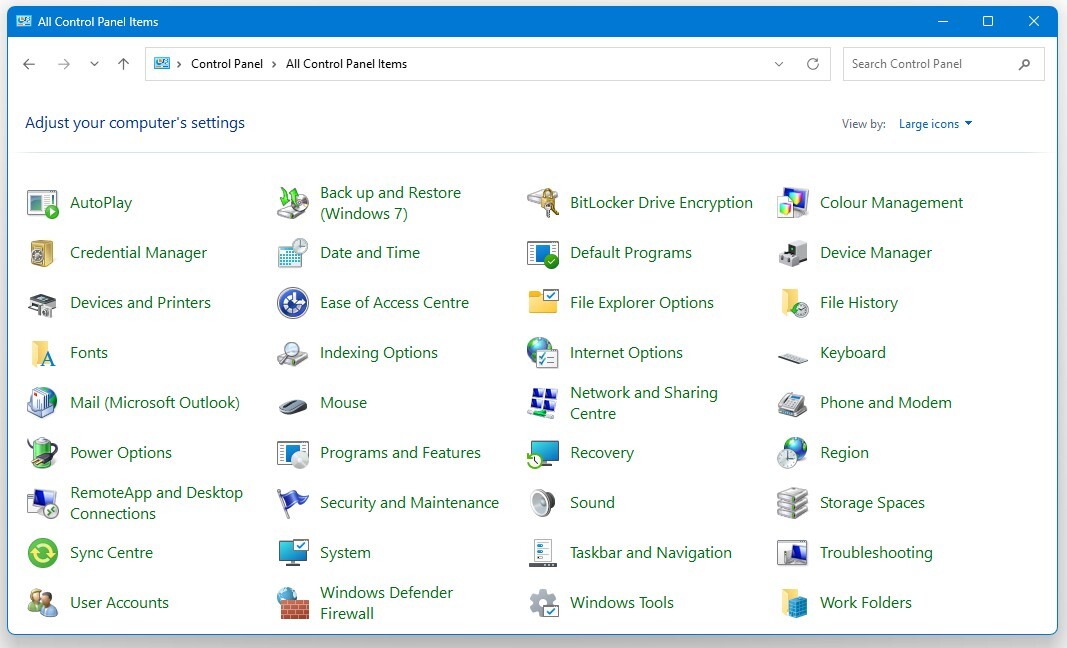
One practical consideration for users and developers alike is the potential impact on third-party applications that rely on the Control Panel's legacy infrastructure. Microsoft has advised major independent software vendors (ISVs) to migrate away from Win32 in favor of WinUI, suggesting a long-term strategy to phase out older interfaces entirely. However, the company's approach to this transition remains measured, with an emphasis on ensuring stability and compatibility during the migration process.
For creators and power users who rely heavily on the Control Panel's granular controls, this shift may require adaptation. The modern Settings app, while more visually appealing, does not yet offer the same depth of customization in every category. Users with specific hardware configurations, such as Intel Hybrid processors, may also notice performance nuances, particularly when running resource-intensive tasks that leverage E-cores for background processing.
As Microsoft continues to refine Windows 11, this transition underscores a broader trend toward modernization within the operating system. The goal is clear: to provide a more consistent and future-proof experience while maintaining backward compatibility where possible. For those invested in legacy workflows, the shift may present challenges, but it also signals an opportunity to explore the enhanced capabilities of the modern Settings app.